Setting up Xray VPN in BeAdmin
Step-by-step guide to installing and configuring Xray VPN.

Xray is a modern, high-performance tool for creating VPN connections. It effectively bypasses restrictions, provides strong traffic encryption, and ensures a high level of privacy.
Using your own VPN server gives you maximum control, stable speed not shared with other users, and significantly better privacy compared to public VPN services. BeAdmin supports the Xray (VLESS) protocol — lightweight, fast, and highly secure.
Activating the Xray module
- Log in to your BeAdmin control panel.
- Go to the Xray section.
- Click the
Installbutton.
The panel will automatically download and configure all required components. Once the installation is complete, the user management page will open.
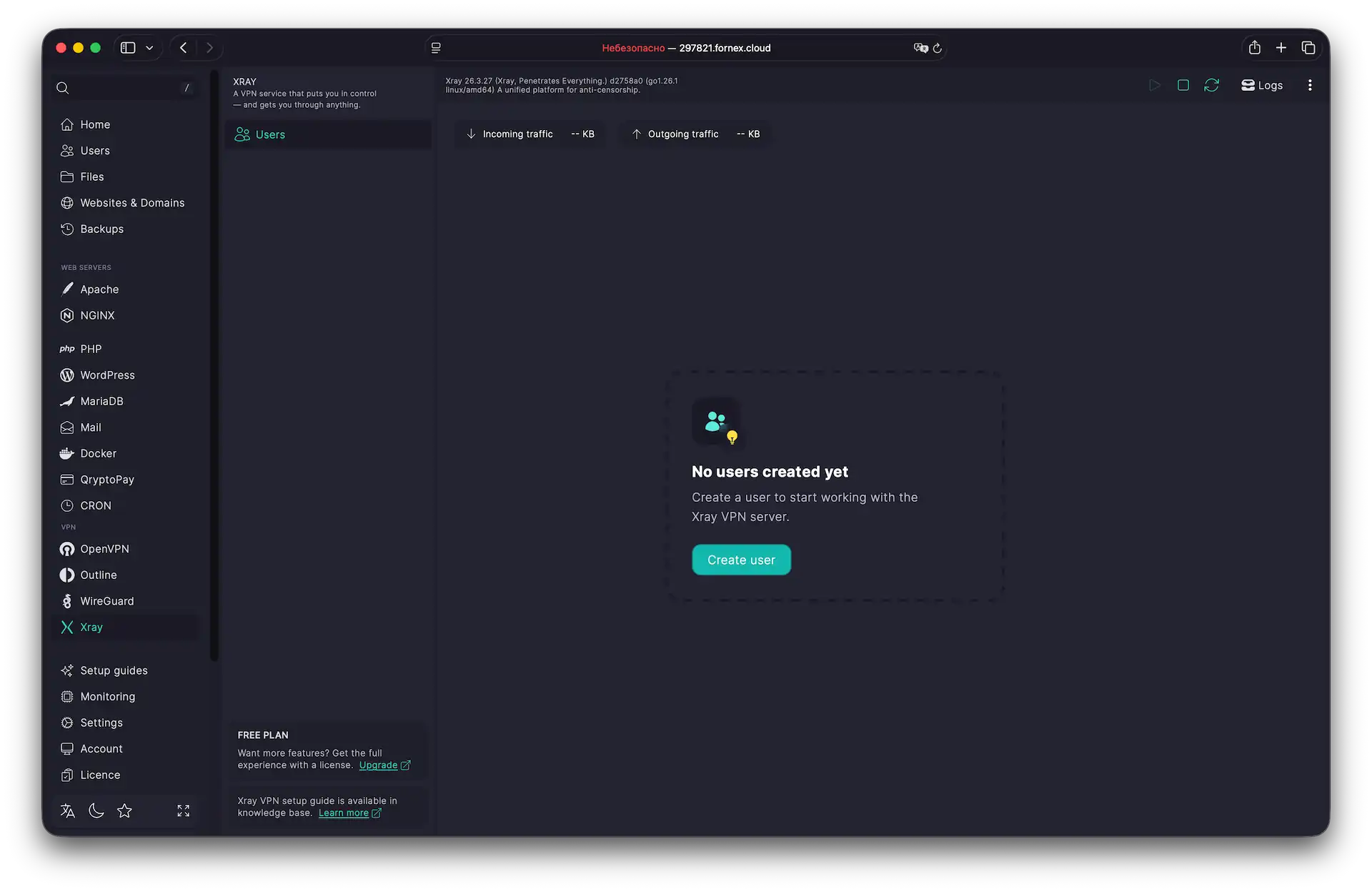 Xray VPN module interface
Adding a new user
- Click
Create User. - Enter an Email address (this is used only as an identifier; it can be real or fake).
- Optionally, add a Name for easier management.
- Click
Create. The user will immediately appear in the list and be ready for connection.
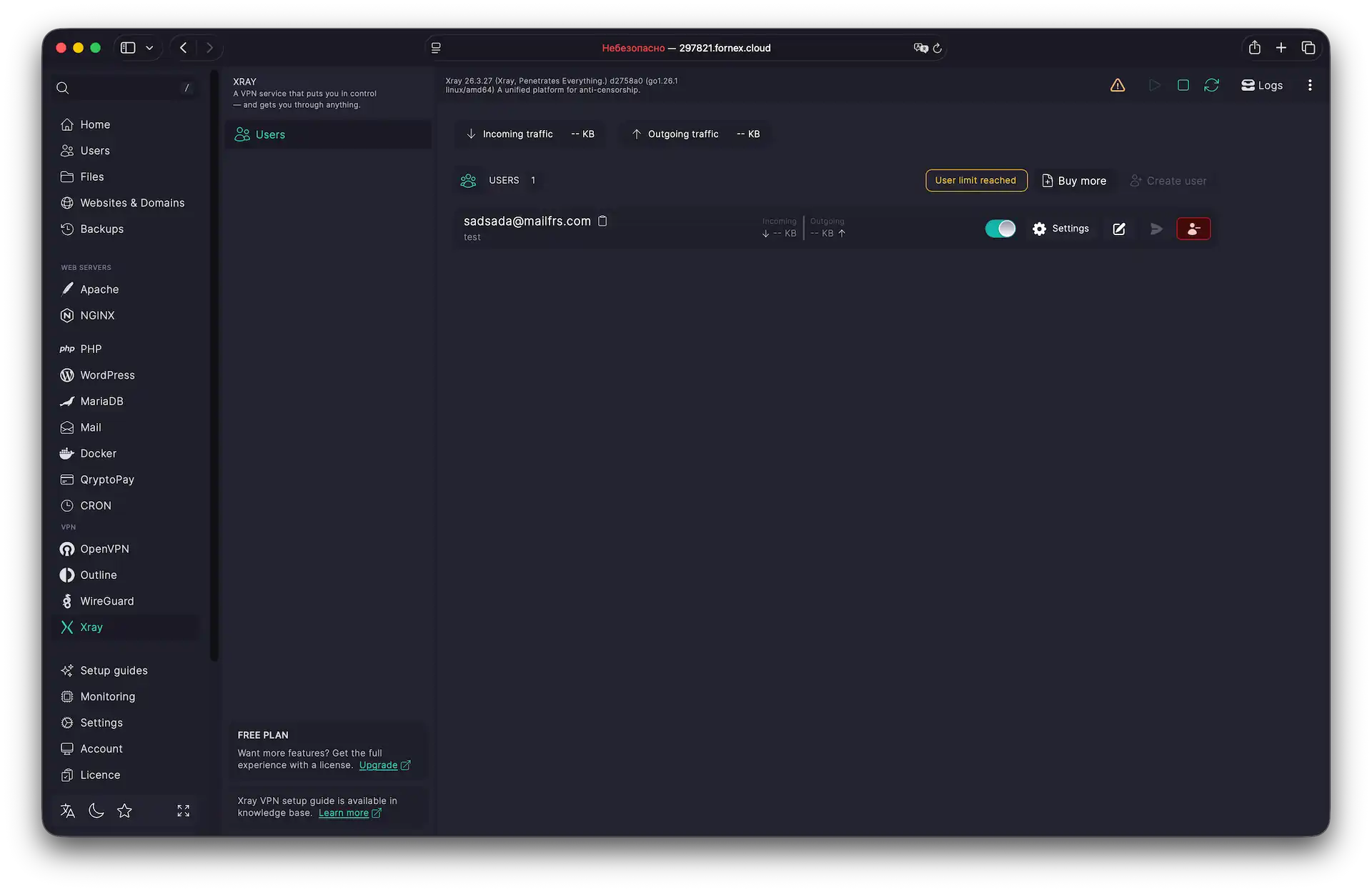 VPN users list
Connecting on your device
To start using the VPN, you need to import the configuration into a dedicated client application. We recommend using universal solutions such as Hiddify, Streisand, or v2rayN.
How to get the connection details
-
In the Users list, click
Settingsnext to the desired user. -
You’ll see three options:
- QR code (ideal for mobile devices)
- Import link (copy and paste into the app)
- Send by email (requires configured SMTP relay)
-
Open your chosen VPN client, add the configuration by scanning the QR code or pasting the link, and connect.
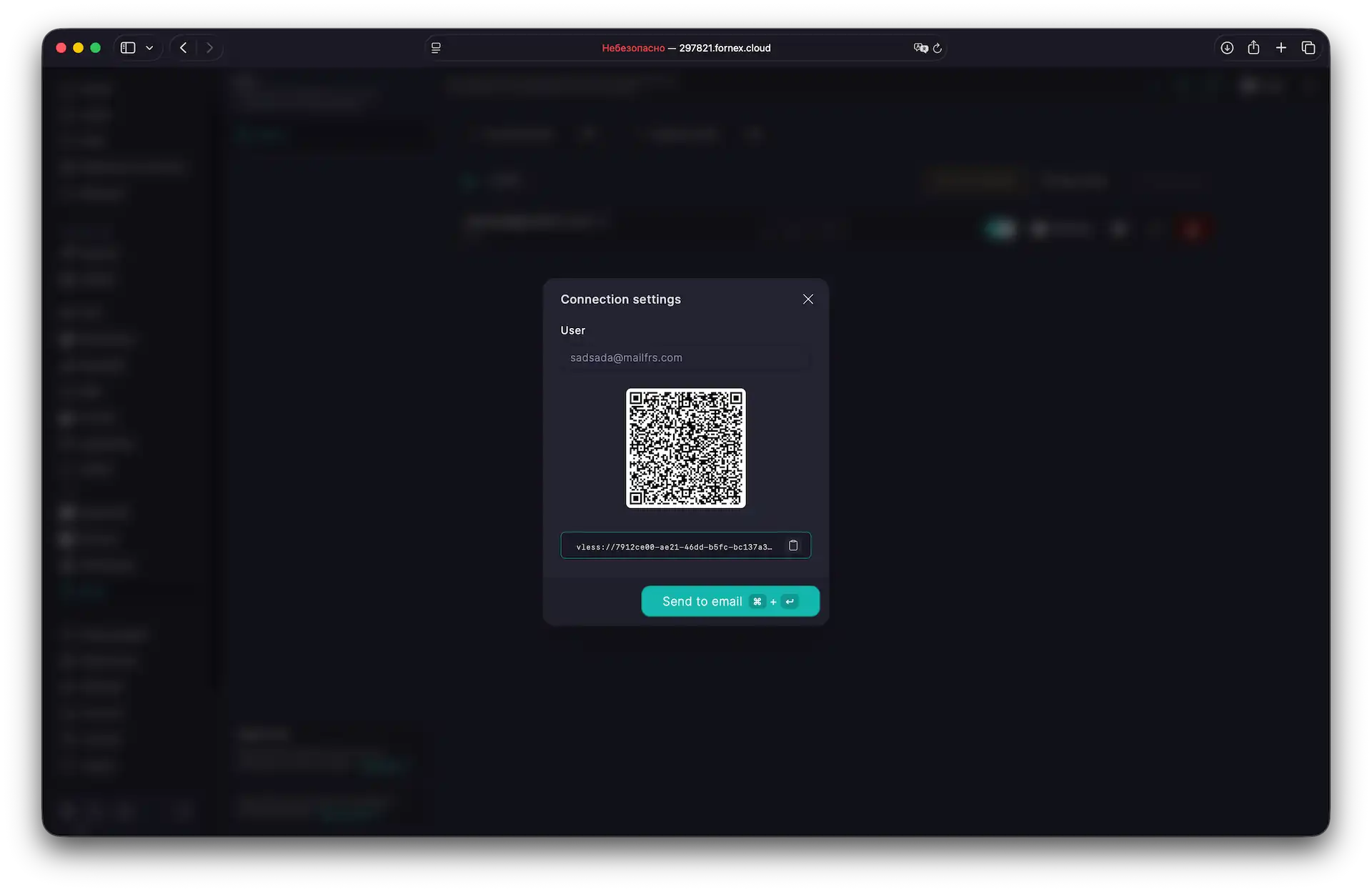 VPN connecting
Tip
After connecting, verify your IP address on any checker site like myip.com. You should see the IP of your chosen VPN server location.
Adding more users
By default, BeAdmin provides 1 free user. To add more connections for your family or team:
Managing users
- In the Xray section, click
Buy more. - Log in to your BeAdmin account.
- Specify the required number of additional users in the VPN section.
- Complete the payment.
Recommended VPN clients
- Hiddify / Streisand — Android / iOS
- NapsternetV — Android
- v2box — iOS, macOS
- ClashX — macOS
- v2rayN — Windows
Help
If you have any questions or need assistance, please contact us through the ticket system — we're always here to help!